
DCL — Data-Driven Construction Logistics
LIVE

Planning the Planning

The strategic foundation for successful construction projects: milestones, phase and quality checkpoints, before schedules are created.
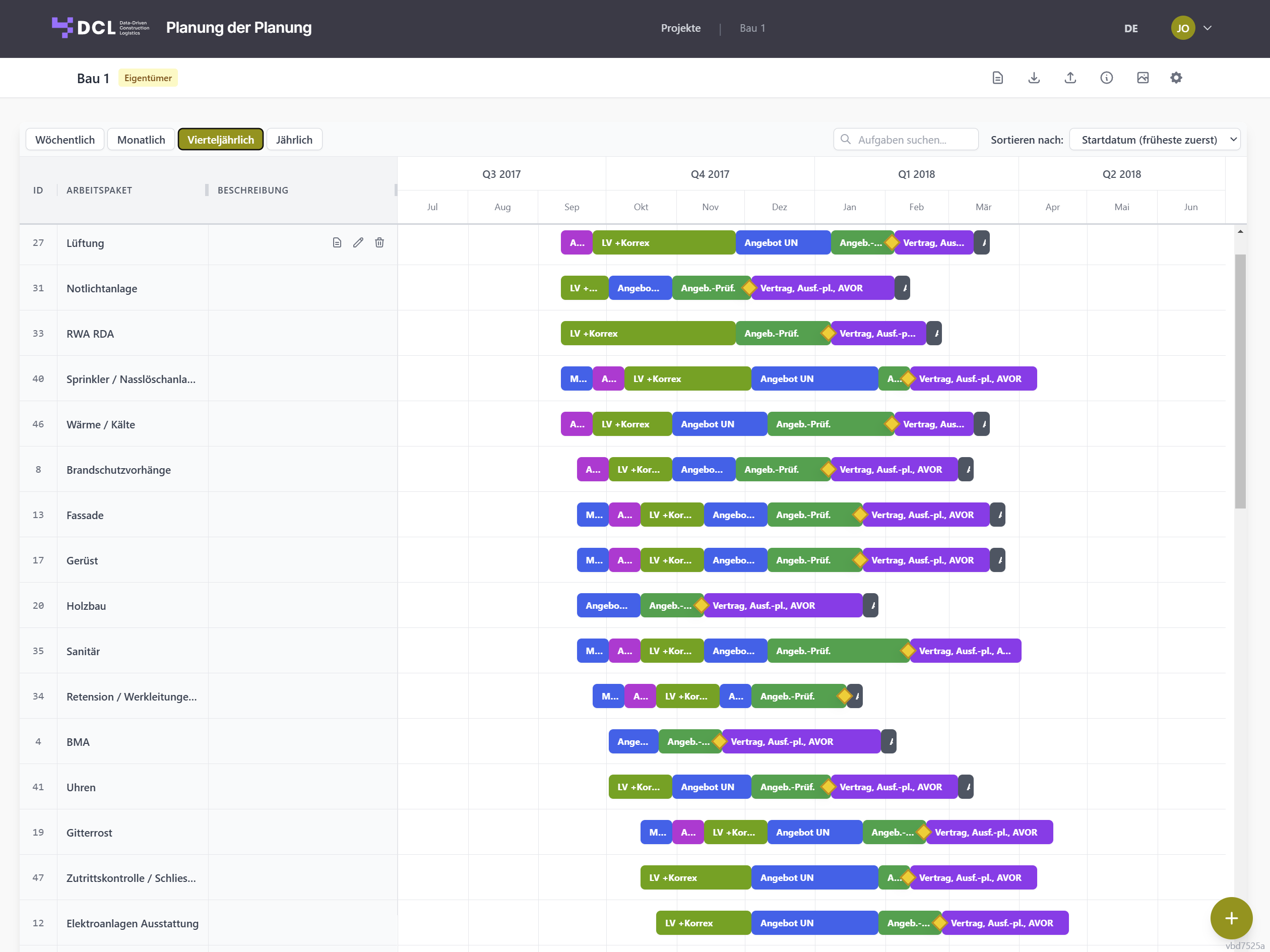
Planning the Planning – Overview
Strategic approach

Which problems does "Planning the Planning" solve?

"Planning the Planning" is a strategic planning layer above traditional schedules. The focus is on the question: which phases, decisions and quality steps need to be planned — and in what order? This creates a solid foundation for execution planning, tendering & procurement, model-freeze decisions (BIM) as well as quality checkpoints and approvals.

Core features

What the tool can do

/01

Map central project logic

A consistent structure for all project components as the foundation for a shared project logic — understandable for everyone involved, even without a scheduling tool.
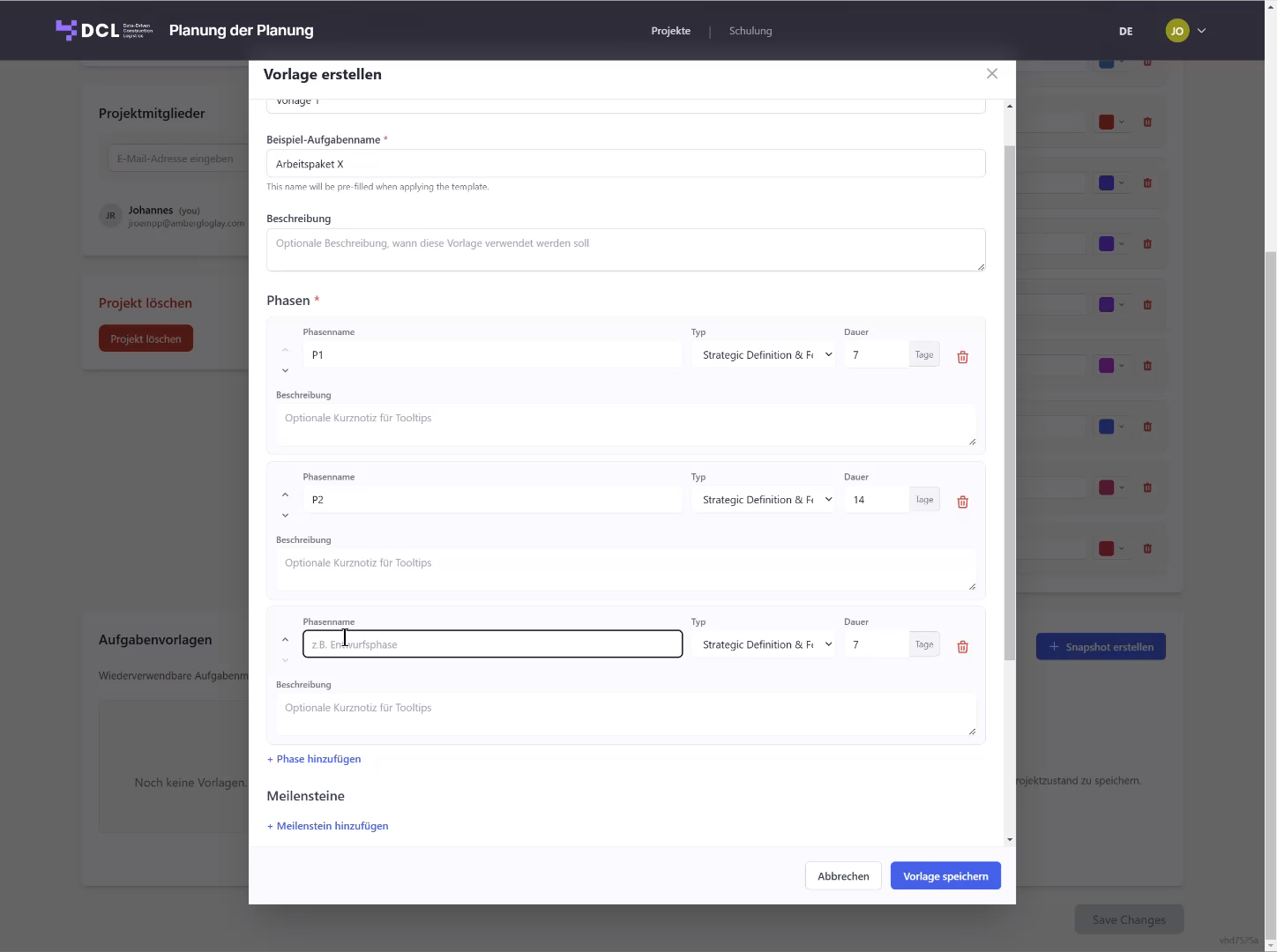
  • Structuring by work packages / trades
  • Consistent structuring of phases and transitions
  • Transparency on parallel activities and sequences
Structured work packages
/02

Plan phases & sequences

Plan phases, review and decision stages in a logically traceable order, before you "set dates in stone".
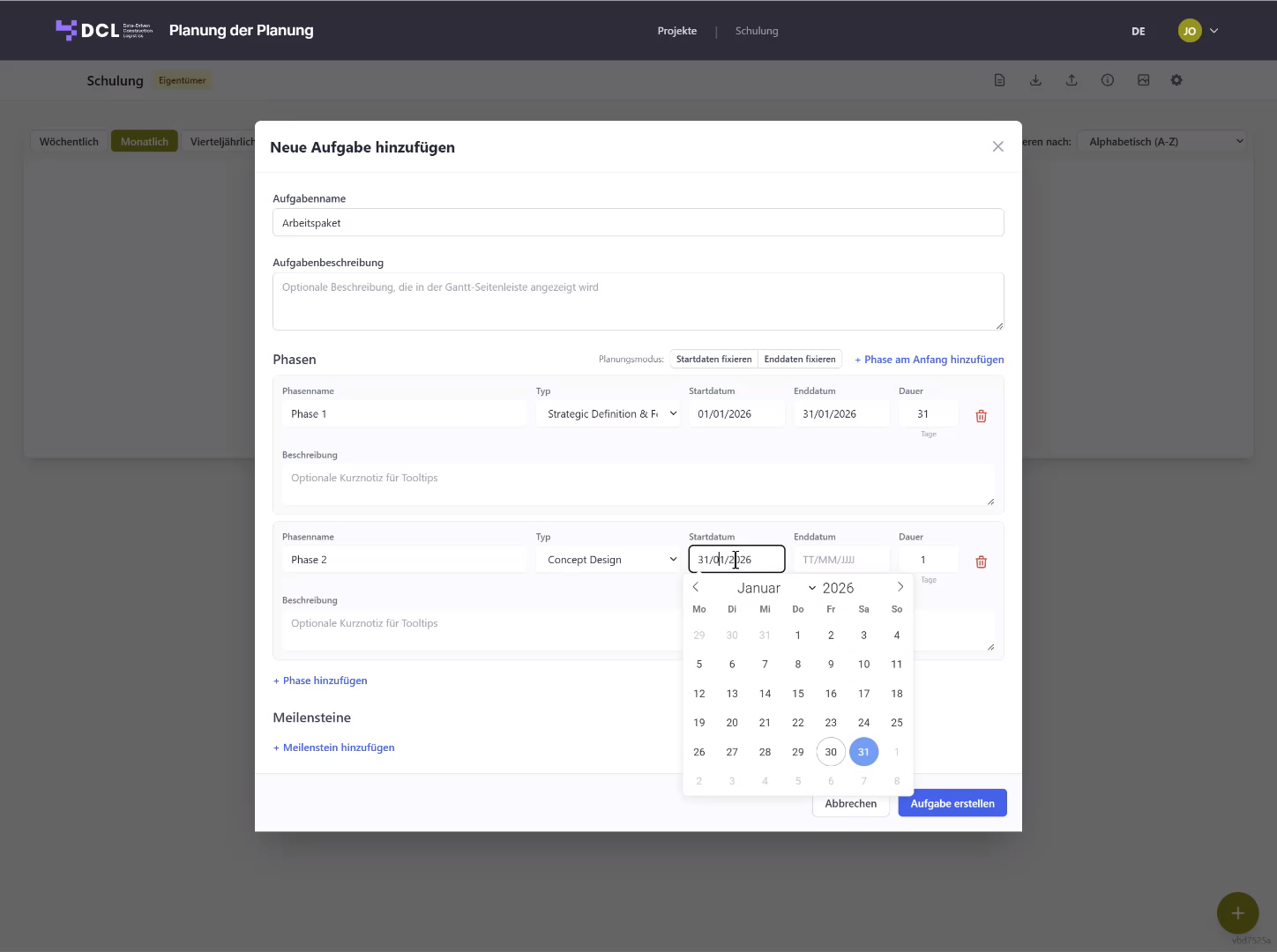
  • Logical sequence instead of isolated individual dates
  • Clear transitions between planning, tendering and procurement
  • Make conflicts visible early
Phases and sequences
/03

Anchor milestones & quality checkpoints

Model freeze, completion of tender documents, bid evaluation, award contract — all crucial transitions become visible and planable.
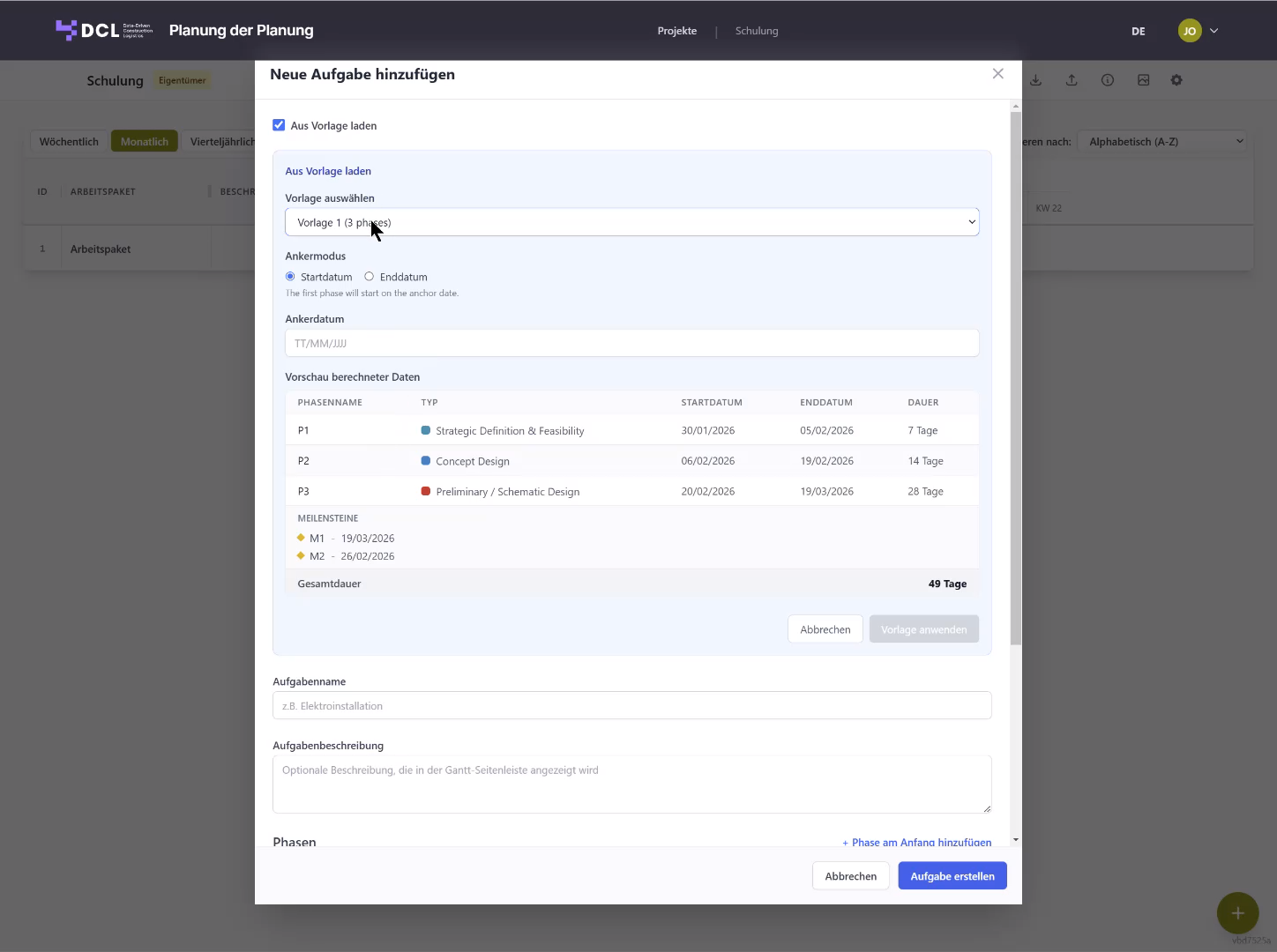
  • Decision stages made explicit
  • Quality checkpoints as binding transitions
  • Less rework through clear approvals
Milestones and quality checkpoints
/04

Strategic timeline & navigation

The timeline serves orientation, not detailed control. Weekly, monthly, quarterly and yearly views enable early project coordination.

  • Switch between Weekly / Monthly / Quarterly / Yearly
  • Search and sort across all work packages
  • Fast orientation even in large projects
Timeline and navigation
How it works

To project logic in just a few steps

Getting started is deliberately simple – no lengthy setup processes, no scheduling know-how required. Real-world requirements determine the path.

/01

Structure the project

Define work packages, project areas and fundamental phases.

/02

Define phases & milestones

Model freeze, tendering, procurement, quality checkpoints – including sequence and temporal orientation.

/03

Reuse as a foundation

Use the project logic as a reference for scheduling, tendering and project control.

FAQ

Frequently asked questions

Is this a replacement for MS Project or Primavera?+
No. "Planning the Planning" sits one level above the schedule and provides the structural foundation on which your scheduling then builds.
Who is the application for?+
For project management, planning coordination and everyone who wants to establish a shared project logic early — even without a scheduling tool.
Why not just a rough Gantt chart?+
A rough Gantt chart mixes logic and dates. Here we deliberately separate them: first the sequence and decisions, then the dates.
What is a typical use case?+
Preparing tendering and procurement including model freeze and quality checkpoints, before the detailed schedule is created.